Partner Post: GoFlow
When it comes to optimizing systems within your business, it’s always a smart move to look for ways you can make small tweaks or adjustments that will pay big dividends.
In this article, we’ll look at some of the most effective yet simple things you can do to your fulfillment management processes that will drastically reduce order errors, cut down lead times, and lower overall shipping costs, without requiring a massive overhaul of your supply chain.
- Standardize Your SKUs
Standardizing your stock keeping units (SKUs) will improve your fulfillment management by speeding up your workflows and eliminating costly errors.
Here are a few ways you can standardize your SKUs to keep them organized:
- Establish a standard naming convention. Strict naming rules for your SKUs avoid confusion and make things easier for your team and your logistics partner. For example, you might establish a SKU framework like “manufacture-color-size.”
- Use a hierarchical structure. Start with the broadest category and moving to specific details.
- Use the first 2-3 characters for broad categories. For example, “APP” for Apparel, HOM for Home Goods or FTW for Footwear.
- Use all uppercase letters. Mixed casing (for example, app-Blk-S) introduces more changes of human error during manual entry. Keep everything uniform. (APP-BLK-S)
- Don’t start your SKU with a zero. Many database programs and spreadsheets will automatically drop the leading zero, importing 001-BLK-MED as 1-BLK-MED, which will break your data formatting and inventory tracking. Start your SKU with a letter instead.
- Avoid using characters like @, #, &. They can break the data import into your software system.
- Avoid mixing characters that look similar. It can make picking and packing errors more likely when they are printed on small labels. For example, avoid using the number 0 next to the capital letter O, or the number 2 alongside the capital letter Z.
Standardization works better if everyone follows the same blueprint. It’s a good idea to create a central reference document that defines exactly how each SKU is formatted and what each code and abbreviation represents. That way, you can be sure that every member of your team knows that S stands for “Small” and not “Silver” or “Spring Collection.”
- Provide Real-Time Order Tracking Updates for Customers
Have you ever ordered anything from an online shop, only to get absolutely NO updates on where your order is and when to expect it? It’s unnerving, right? You worry your products are lost in transit, or that the brand you ordered from might be a scam.
In contrast, when you receive updates as your purchase makes it’s way to you, when it’s bring processed, when it’s out for delivery, when it’s been successfully delivered, you feel much happier and more assured.
Employing real-time tracking updates is a great, proactive way to greatly improve your customer experience and reduce WISMO (“Where is my order!?”) customer complaints.
Here are some ways you can maximise the effectiveness of real-time order tracking:
- Brand the tracking experience. Instead of sending customers to a generic carrier page like DHL or FedEx, redirect them to a custom-branded tracking portal on your website. You can also use this page to display loyalty program highlights or personalized product recommendations.
- Offer multiple channels for updates. Email updates can get lost in spam folders, so give customers the option for SMS or WhatsApp updates instead.
- Be proactive with delays. If a carrier flags a delay in delivery, trigger an immediate alert to the customer before they have to ask why they haven’t received their package yet.
- Highlight split shipments. When the items in one order are shipped separately, make sure the tracking interface clearly separates each package with its individual progress bar. This will stop your customers from panicking and contacting support when half of their order arrives without the rest.
A multichannel operating system can help you with real-time tracking updates by pulling API carrier status updates from the moment a shipping label is generated until the package is marked as successfully delivered.
It will then synchronize the status back to your marketplace (such as Amazon or Shopify) and trigger automated, accurate tracking updates to the end customer.
- Automate Multi-Carrier Rate Shopping
When a customer makes an order, how do you determine which shipping option to use?
If you use the same default carrier every time, you could be getting a better deal. If you manually calculate the best carrier for each situation, you’re creating a lot of unnecessary manual work for yourself and your team.
The better approach is to enable an automation that will make this decision for you, saving you both money and time.
Whenever a customer makes an order, the system will check the destination zip code, package specs and required delivery date. It will run the metrics against your integrated carrier accounts, such as UPS, FedEx, DHL, or USPS. It will make several calculations behind the scenes and automatically assign the cheapest and fastest compliant shipping option, before your team even prints the label.
Here are some additional tips for setting up effective automated rate shopping:
- Account for dynamic fees: Shipping rates are more than just base fees. Carriers constantly add residential delivery fees, fuel surcharges, and holiday peak season pricing. Make sure your system is set up to evaluate the total landed cost, rather than the baseline rate.
- The cheapest carrier isn’t necessarily the best. If the cheapest carrier consistently misses deadlines, this will affect your ratings and seller metrics. Look at cost metrics as well as carrier service level agreement history data to make a smart choice.
- Calculate carrier pick-up windows. If UPS picks up at 4pm and FedEx picks up at 6pm, an order processed at 4:30pm cannot go out via UPS on the same day. The automation should automatically switch the order to the carrier that can actually get the package out of the door the fastest, avoiding a transit delay. The system can even auto-recalibrate the rate nightly if an order sits past midnight, to account for a shrinking delivery window.
A multichannel operation system will select the most cost-effective shipping option dynamically for every single package, rather than relying on a default carrier. This is known as Rate Shopping, and it’s a feature of many sophisticated multichannel operating systems, such as Goflow.
- Think Strategically About How Your Warehouse Is Organized
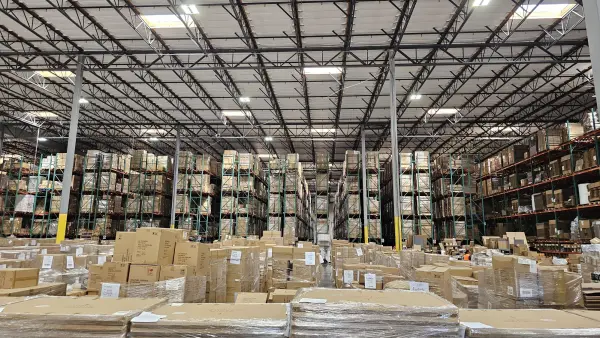
It may take some time to re-organize your warehouse and plan a different layout, so this may not be the smallest tweak you make. But, if you do it right this shift can make a huge difference in your business.
There are many ways that just your warehouse setup could make a huge difference in how efficiently you operate.
For example, here are some ways you can organize your warehouse strategically to improve efficiency:
- Choose zones by velocity. Place your top 10% highest-selling items closest to the packing stations. This minimizes walking time for pickers.
- Use a “Dynamic Slotting” approach. Rather than letting shelf spaces remain static, re-evaluate your inventory seasonally to adjust high velocity zones depending on what’s flying off the shelves during that particular season.
- Design one-way traffic aisles. If your aisles are wide enough, establish directional flows using floor arrows, to prevent pickers and forklifts from getting stuck in a traffic jam.
- Double-label your bin locations. Put barcodes and shelf numbers on both the top and bottom of racks. It prevents pickers from having to crane their necks or bend down repeatedly to scan items.
- Implement a “hot bin” area. Dedicate a specific shelf or cart near the shipping dock for orders with expedited or overnight shipping.
If you have inventory across multiple warehouses, this becomes even more important. For more help when it comes to managing multiple warehouses, check out this blog post.
- Improve Picking & Packing Efficiency
Audit your picking & packing processes, as this is an area where you can be spending a lot of unnecessary time and effort. For example, here are some adjustments you can make to the way you pick and pack items, so your team can get more done with less time:
- Perform an ABC inventory analysis. This strategic analysis involves identifying your most popular high-velocity items and positioning them closest to the packing stations to minimize travel time. Check out our step-by-step guide to performing an ABC inventory analysis here: How to Boost Your Efficiency With An ABC Analysis.
- Switch to batch picking. Instead of picking one order at a time, have pickers collect items for 5 to 10 orders simultaneously, then sort them at a central packing station. The right system will allow you to group incoming multi-channel orders into specific picking waves or batches, so your warehouse floor workers can retrieve identical or close-proximity SKUs at once, maximizing their walking efficiency.
- Color-code your packing tape. Use different colored tape or stickers to indicate specific carriers (e.g., blue for USPS, orange for FedEx) or service levels (e.g., red for overnight). This prevents loaders from putting boxes on the wrong truck.
- Standardize box sizes. Reduce your packaging options to 3 or 4 standard sizes. This speeds up the packer’s decision-making process and helps you negotiate better dimensional weight pricing with carriers.
Optimizing your warehouse layout and leveraging data-driven slotting are the most critical strategies you can use to slash travel time and boost throughput.
A Few Small Tweaks Can Transform Your Business
Some people think that running a business is about setting everything up once, then having it run perfectly forever. But that’s simply not the case.
To continue to stay ahead of the competition, it’s crucial to keep tweaking, improving and adjusting your business to become more accurate and efficient, so that you can provide your customers with a better experience.
These 5 small improvements fulfillment management won’t take a lot of time to implement, but they will make a big difference in your operations.
About Goflow
Goflow is the Multichannel Operating System (MCOS) for commerce, unifying products, inventory, orders, fulfillment, and financial data across every sales channel. It replaces disconnected tools with a single platform built to run the entire business. Designed to help sellers scale, Goflow supports 2,100+ integrations across marketplaces, ecommerce platforms, fulfillment partners, and accounting systems, connecting them into one controlled, reliable operation.
As you scale, visibility gets harder, and more critical. See how Goflow fits into your stack and brings your operations into one clear, connected system. Book a demo to see it in action.